Split & Clean
Format & Sort
Display Output
Save to CSV
What does this Text Tool Do?
This tool was developed with the assistance of AI, and illustrates the kind of coding AI could help you with. It does the following:
Split & Clean
Splits text into words, removes duplicates, punctuation, numbers & special characters, except apostrophes
Format & Sort
Converts text to lowercase and sorts words alphabetically
Display Output
Outputs one word per line on the screen
Save to CSV
Save the processed word list to a CSV file, with or without word count
Cool Ways to Use Our Word Tool in Your Teaching
If you're a teacher, homeschooling your kids at home, or helping with schoolwork, this neat free tool makes your life easier. It takes any text you put in and gives you a clean list of unique words - great for all kinds of learning activities! Just copy and paste any text from any digital document, and you'll get a nice, clean list of unique words to work with, in alphabetical order. Here are some suggestions for how you can use it:
- - Generating custom spelling lists
- - Making your own flashcards
- - Helping kids prepare for upcoming reading
- - Spelling quizzes tailored to your child’s interests and reading level
- - See which words they're using
- - Quickly spot overused words
- - You can help them find new, more interesting words to use instead
- - Challenge them to replace duplicates with synonyms—a fun way to improve writing skills!
- - Pick out tricky words to practice beforehand
- - Make a simple dictionary of important terms
- - Create a word bank they can refer to while reading
- - Discover themes and patterns in literature
- - Find the most important words to learn first
- - Make custom vocabulary lists based on specific topics
- - Create practice exercises that focus on relevant words
- - Create crosswords, word searches, or memory games
- - Make matching games with new vocabulary
- - Build spelling challenges based on words they're learning
- - Pull out important terms from their textbooks, e.g. for science
- - Create vocabulary lists from what they're studying, like geography
- - Make math word problem vocabulary easier to understand
- - Make simpler word lists for reading practice
- - Create custom spelling lists that match their level
- - Build vocabulary guides that grow with them
- Analyze practice test passages to identify recurring academic words
- Use the word lists to create flashcards or quizzes focused on test-specific vocabulary
- - Save the word lists as CSV files to use them again later
- - Focus on the most important words, based on how often they appear
- - Make different lists for different subjects or topics
- - Quickly check student work for vocabulary diversity
- - Saves you time - no more manual word list-making
- - Helps you create custom materials for your child
- - Adaptable to your situation
- - Works for all subjects, ages and reading levels
Some Merch To Browse!
Please note: affiliate links below, at no extra cost to you.

Mugs
Why not check this out?
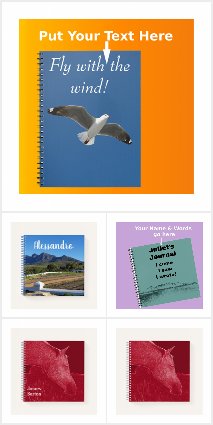
Notebooks
Something for your kids?

Scenic Collection
Some Lovely Products!
TERMS OF USE: FREE for any and all Lawful uses
Developed with the help of an AI Assistant
© 2025 PhilG. All rights reserved